MPlayer Music Player App Case Study
MPlayer Music Player App Case Study
MPlayer Music Player App Case Study
MPlayer Music Player App Case Study
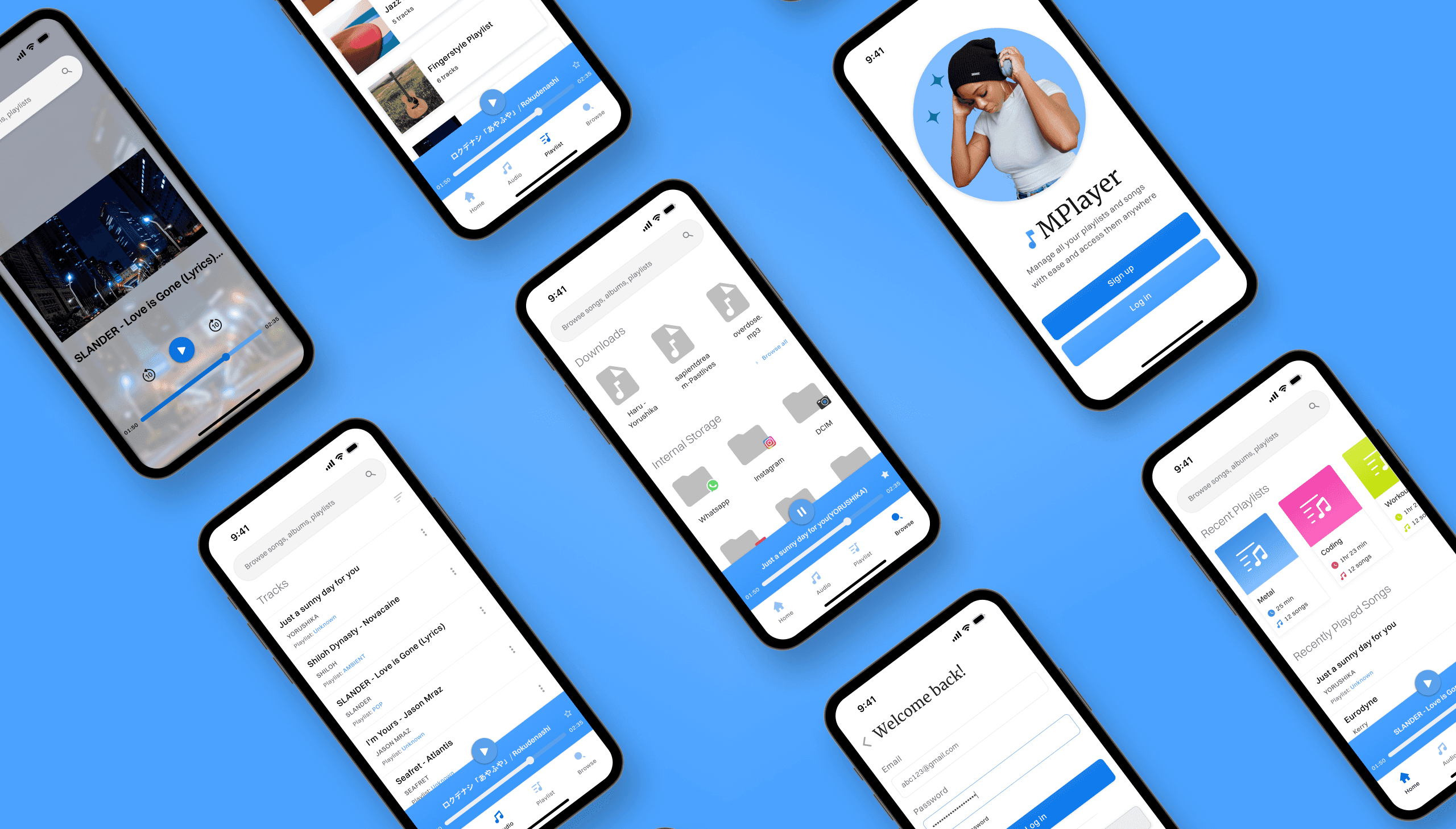
1.
1.
1.
Project Overview
Project Overview
Project Overview
• Role: UI Designer, Web Designer
• Role: UI Designer, Web Designer
• Project Type: Personal
• Project Type: Personal
• Tools: Figma, Adobe Photoshop
• Tools: Figma, Adobe Photoshop
• Goal: The goal of this project was to get proficient with prototyping and handling interactions and creating a professional landing page.
• Goal: The goal of this project was to get proficient with prototyping and handling interactions and creating a professional landing page.
• Outcome: This project got me more comfortable with prototyping and common principles to follow while designing landing pages.
• Outcome: This project got me more comfortable with prototyping and common principles to follow while designing landing pages.
2.
2.
2.
UI Design
UI Design
• Color Choice: I wanted a comfortable and basic color for the app as it doesn't need to stand out and pose itself as special so blue seemed like the best choice.
• Color Choice: I wanted a comfortable and basic color for the app as it doesn't need to stand out and pose itself as special so blue seemed like the best choice.
• Market Research: Research indicated that optimally a music player should have songs on the home screen and the app should include essential features like filtering, browsing.
• Market Research: Research indicated that optimally a music player should have songs on the home screen and the app should include essential features like filtering, browsing.
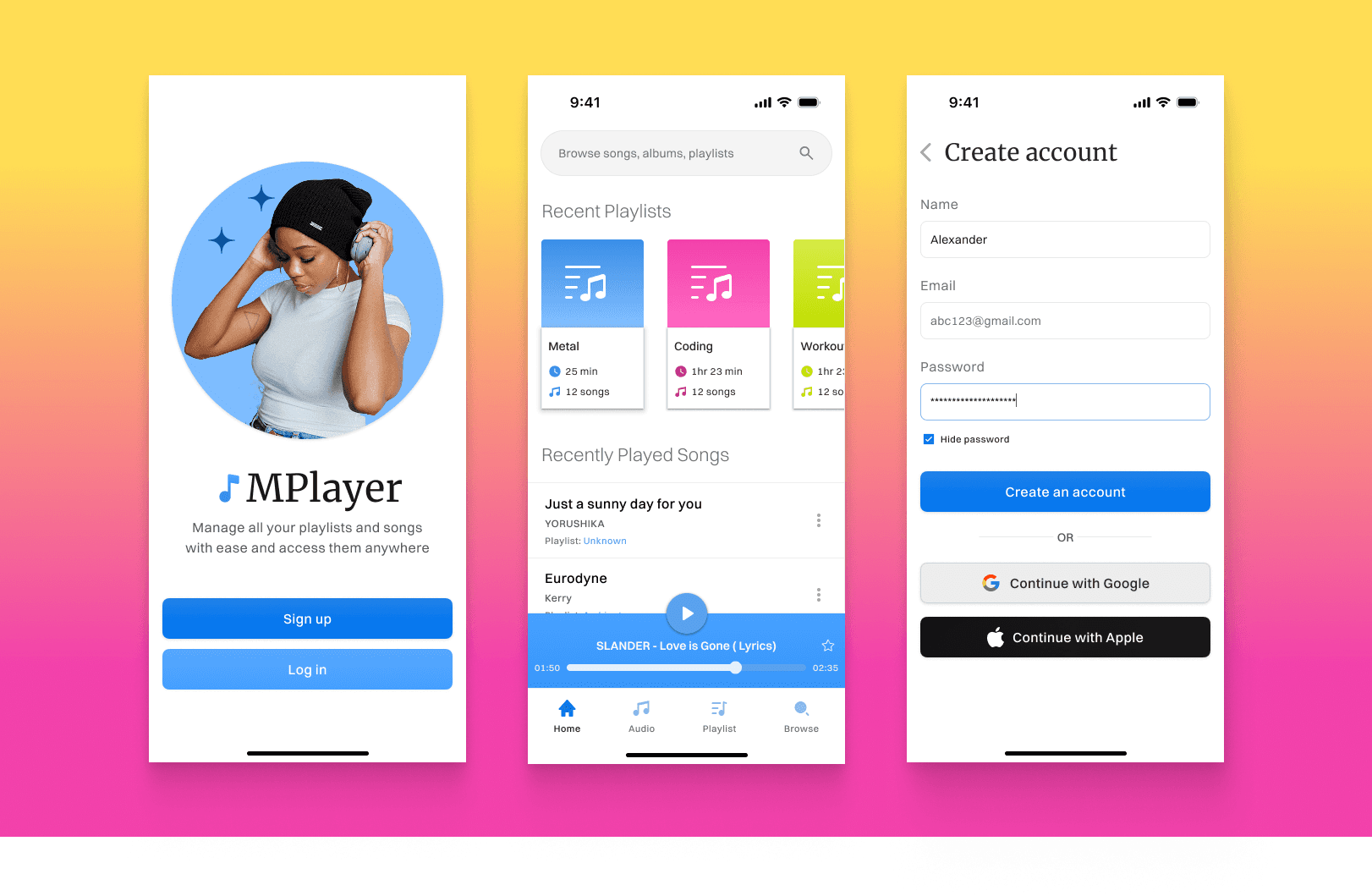
Design #1
3.
3.
3.
High Fidelity Designs
High Fidelity Designs
• Following the color choice of blue, I implemented some complementary colors to make the UI pop a bit. This made the sections more lively.
• Following the color choice of blue, I implemented some complementary colors to make the UI pop a bit. This made the sections more lively.
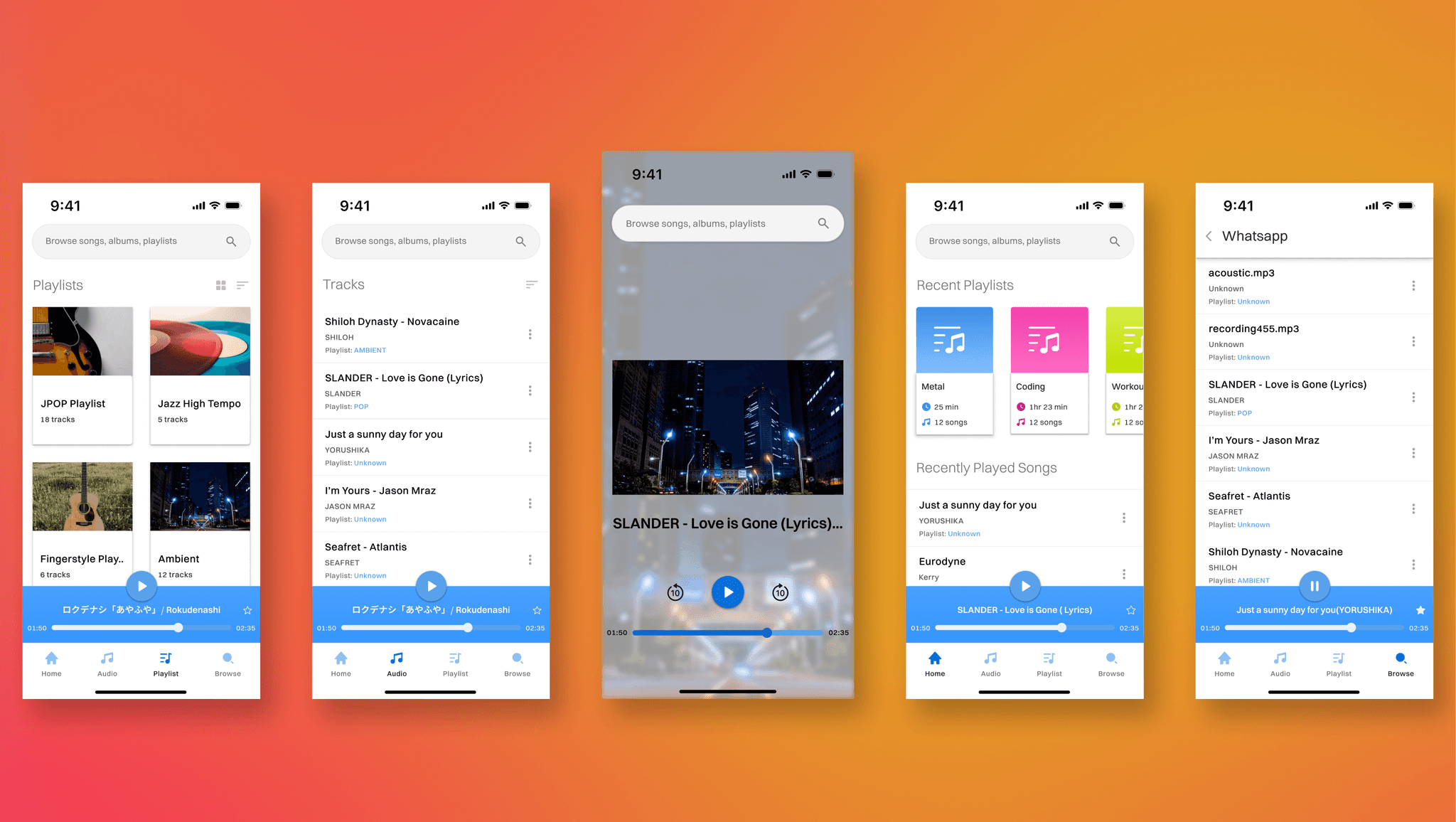
Design #2
4.
4.
4.
Prototyping
Prototyping
• This was my first attempt and prototyping and I learned lots of different animations and interactions. Component variants, hover effects and overlays. Here's a video showing the prototype that I developed for this app.
• This was my first attempt and prototyping and I learned lots of different animations and interactions. Component variants, hover effects and overlays. Here's a video showing the prototype that I developed for this app.
Prototype
5.
5.
5.
Common Problems
Common Problems
• Designing the UI for the Play/Pause component was very troublesome as I had to make sure that it is apparent and also fit in properly while displaying the necessary information.
• Designing the UI for the Play/Pause component was very troublesome as I had to make sure that it is apparent and also fit in properly while displaying the necessary information.
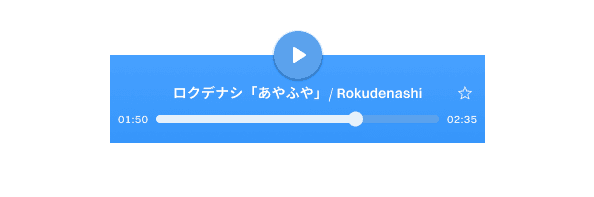
Music Player UI
6.
6.
6.
Final Design (App)
Final Design (App)
• Thoughts: Designing this music player was a very enjoyable, I learned a ton of things regarding prototyping and further polishing my app design skills.
• Thoughts: Designing this music player was a very enjoyable, I learned a ton of things regarding prototyping and further polishing my app design skills.
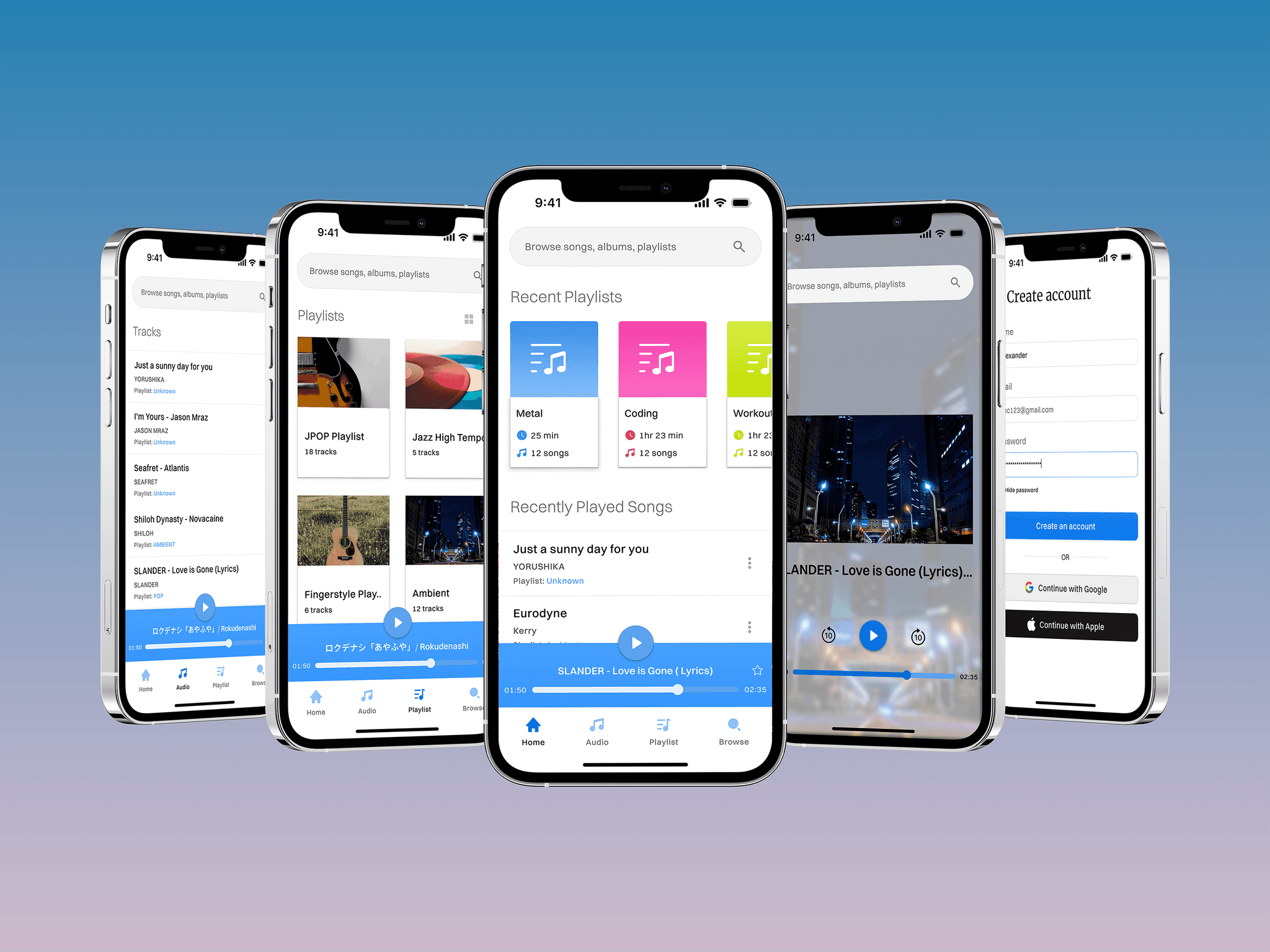
Final Result
7.
7.
7.
Web Design
Web Design
• Following the principles, I used the same colors for the landing page as that further strengthens the branding of the app.
• Following the principles, I used the same colors for the landing page as that further strengthens the branding of the app.
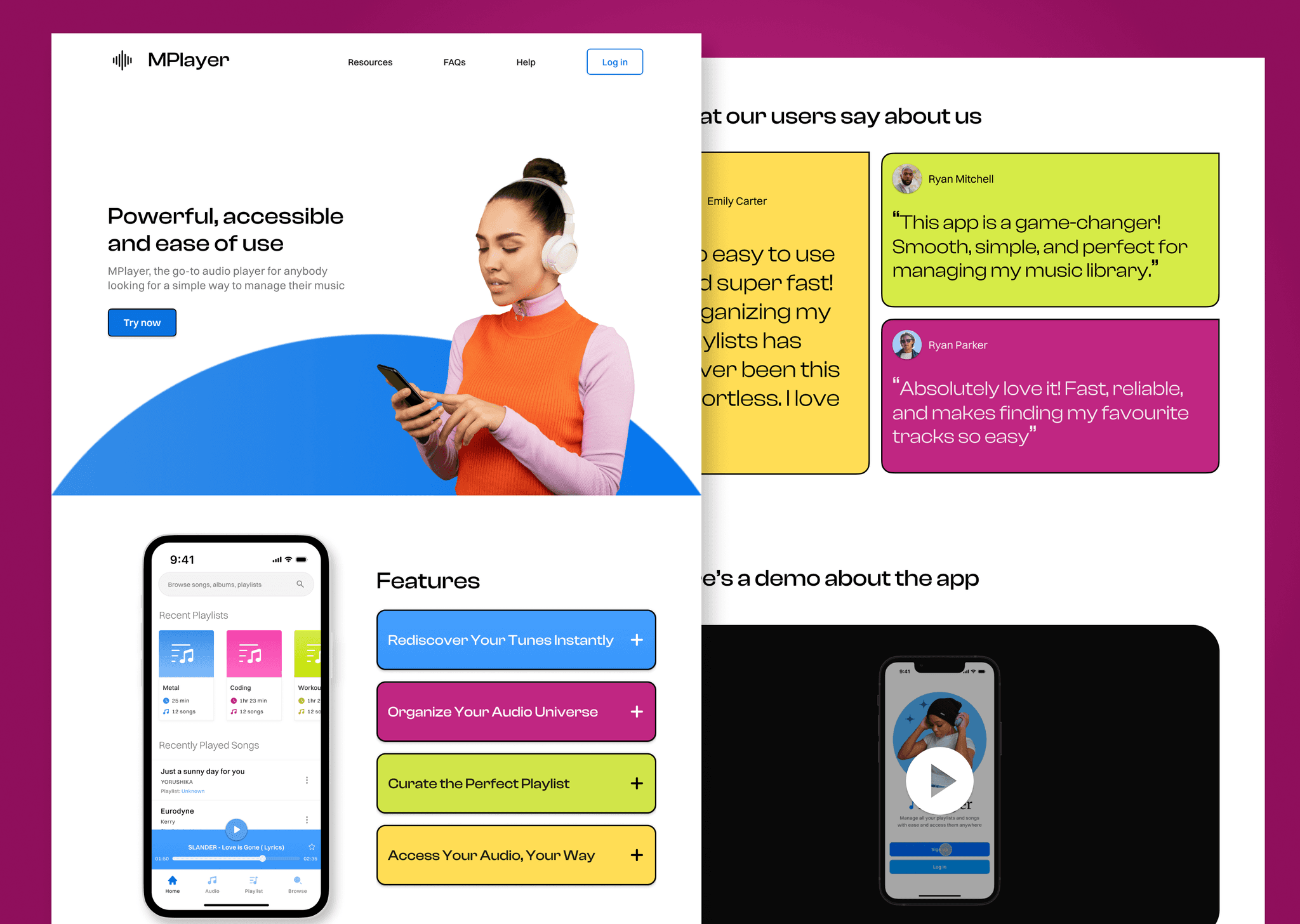
Landing Page #1
8.
8.
8.
Web Prototyping
Web Prototyping
• I also decided to add some prototyping to the landing page to make it more interactive and engaging and make the landing page feel more professional. Here's a video to show it.
• I also decided to add some prototyping to the landing page to make it more interactive and engaging and make the landing page feel more professional. Here's a video to show it.
Prototype #2
9.
9.
9.
Takeaways
Takeaways
• This project taught me about prototyping and got me comfortable in designing landing pages on the basis of it's strengths. I enjoyed this project and glad that I completed it.
• This project taught me about prototyping and got me comfortable in designing landing pages on the basis of it's strengths. I enjoyed this project and glad that I completed it.
MPlayer Music Player App Case Study
1.
Project Overview
• Role: UI Designer, Web Designer
• Project Type: Personal
• Tools: Figma, Adobe Photoshop
• Goal: The goal of this project was to get proficient with prototyping and handling interactions and creating a professional landing page.
• Outcome: This project got me more comfortable with prototyping and common principles to follow while designing landing pages.
2.
UI Design
• Color Choice: I wanted a comfortable and basic color for the app as it doesn't need to stand out and pose itself as special so blue seemed like the best choice.
• Market Research: Research indicated that optimally a music player should have songs on the home screen and the app should include essential features like filtering, browsing.
Design #1
3.
High Fidelity Designs
• Following the color choice of blue, I implemented some complementary colors to make the UI pop a bit. This made the sections more lively.
Design #2
4.
Prototyping
• This was my first attempt and prototyping and I learned lots of different animations and interactions. Component variants, hover effects and overlays. Here's a video showing the prototype that I developed for this app.
Prototype
Music Player UI
5.
Common Problems
• Designing the UI for the Play/Pause component was very troublesome as I had to make sure that it is apparent and also fit in properly while displaying the necessary information.
6.
Final Design (App)
• Thoughts: Designing this music player was a very enjoyable, I learned a ton of things regarding prototyping and further polishing my app design skills.
Final Result
7.
Web Design
• Following the principles, I used the same colors for the landing page as that further strengthens the branding of the app.
Landing Page #1
8.
Web Prototyping
• I also decided to add some prototyping to the landing page to make it more interactive and engaging and make the landing page feel more professional. Here's a video to show it.
Prototype #2
9.
Takeaways
• This project taught me about prototyping and got me comfortable in designing landing pages on the basis of it's strengths. I enjoyed this project and glad that I completed it.